 Vora
Vora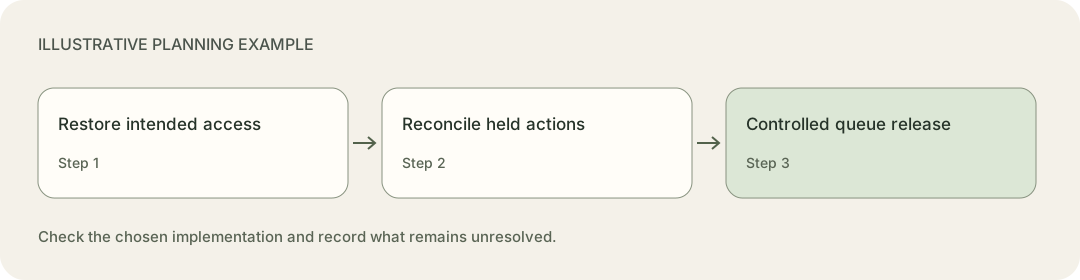

Find out what the provider rejected
Capture the provider's error code and reason, the operation attempted, the connection identity and the last confirmed success. Include the client workspace and destination resource. Keep tokens, authorization headers and client secrets out of tickets and ordinary logs.
Read the error body as well as the HTTP status. Google Calendar's error guide distinguishes invalid credentials from rate limits and other failures. For invalid credentials, it recommends refreshing the access token, then using the OAuth flow if refresh fails. Some Calendar rate-limit failures use 403, so that status alone does not establish a permissions problem.
Distinguish ordinary access-token expiry from an unusable refresh token. Refreshing can be part of normal operation. Repeatedly submitting a revoked grant will not restore the client's authorization.
Google lists several reasons refresh tokens stop working, including revoked access, inactivity, relevant password changes and token limits. Some testing configurations also have a short refresh-token lifetime. These are possibilities to investigate, not a diagnosis you can infer from a red connection badge.
The OAuth error invalid_grant covers several invalid, expired or revoked grant conditions, including a token issued to a different client. Check configuration and ownership before asking the client to authorize the same broken setup again.
Hold the affected work where staff can see it
Pause actions that depend on the failed connection. Identify the full set of workflows using it so another worker does not continue generating failures in the background.
Keep unrelated client connections operating if your system can isolate them safely. Decide whether new requests can be accepted into a durable queue with an honest status. If the service cannot preserve them or staff cannot meet the response commitment, use the agreed fallback route.
Tell the client what is affected in business terms: “New booking requests are waiting for calendar access,” for example. Include the time of the last verified success and the person coordinating recovery. Do not say that nothing was lost until you have reconciled the requests.
Record the queued job's client, request identity, last completed action and deadline. Keep the minimum payload needed for recovery under the agreed access and retention controls. An alert that says only “authentication failed” leaves the next operator with too much reconstruction work.
This is part of choosing a first-client deliverable: someone needs to own requests when the connection is unavailable.
Reconnect the intended account
Have an authorized client owner complete the provider's supported authorization flow. Confirm the account and workspace before accepting the new connection. An agency employee's personal calendar can produce a successful connection test while pointing the workflow at the wrong destination.
Compare the granted scopes with the actions the workflow requires. Check the actual calendar, mailbox or CRM workspace after authorization. A successful read does not demonstrate permission to create the required record.
Run a controlled test using synthetic details through the relevant operation, then inspect its saved result. Follow the agreed cleanup process for the test record. Keep the affected queue on hold while you do this.
Store replacement credentials through the application's supported secure mechanism. Google's OAuth best practices cover secure token storage, limited scopes and validating the authorization response's state value. Do not ask the client to paste a refresh token into chat or a shared incident document.
Coordinate workers that refresh the same connection. Under OAuth's refresh rules, a provider may return a replacement refresh token. When it does, the client must replace the old token. Prevent a stale worker from overwriting newly stored credentials, and follow the provider's rotation behavior.
If the client intentionally removed consent, confirm whether they want the service to continue. Their decision may belong in the offboarding checklist instead of reconnection.
Reconcile the queue before releasing it
Access repair does not tell you which business steps have finished. Inspect each affected job, using external IDs or stable request references to find saved results.
An explicit authentication rejection may show that one step did not run. It does not erase a CRM entry created earlier in the same workflow. A timeout on another request leaves a different question: did the calendar accept it before the response disappeared?
Use this recovery table with a blank observation column in your own incident record:
| Job state | Evidence to seek | Recovery decision |
|---|---|---|
| No external action attempted | Durable request and unstarted step | Run it after checking that it is still wanted |
| Earlier steps confirmed; next step rejected | Saved record IDs and provider error | Resume the required step without repeating completed work |
| External action confirmed; local status incomplete | Authoritative result matching the request | Attach the result and continue from it |
| Remote result uncertain | Request reference, provider lookup or support evidence | Hold unsafe repeats until reconciled |
| Request cancelled or no longer useful | Current client instruction or business deadline | Close or hand off through the agreed process |
Preserve the original business identity during recovery. The webhook retry and idempotency guide explains why giving the same action a new identity can defeat duplicate protection. Check the destination's key-retention window before relying on an old key.
An empty search result may be inconclusive if the provider's search view updates later than the underlying record. Use the strongest lookup the provider supports. Escalate uncertain actions when you cannot safely distinguish “not created” from “created but not visible here.”
Assign each recoverable job to one worker or operator. If someone handles a request manually, record the resulting ID and prevent the automatic queue from performing the same action afterwards.
Release work in a controlled order
Start with a small, inspectable group after verifying access. Respect the destination's rate limits and the client's business priorities. A backlog can contain obsolete appointment times or requests a member of staff already resolved.
Check dependencies before changing the order. A follow-up message should not overtake the record creation it depends on. Keep new arrivals and recovery work under the same ownership rules so they cannot create competing actions.
For the hypothetical booking workflow, keep the first request's CRM entry and resume its calendar step. Investigate the timed-out request before sending another booking action. Run the unstarted request only after confirming that the requested appointment is still appropriate.
Leave a usable record for the next operator
Record the cause when the evidence supports it. Otherwise record the observed failure and the unanswered diagnostic question. Retain the connection owner, restoration time, test result, recovery decisions and any requests still waiting for a person.
Schedule the relevant follow-up check: the next background token refresh, the next scheduled workflow run or a provider propagation check. A test immediately after interactive login may miss the failure that appears when the application refreshes access later.
Have the client open a recovered request through their normal staff view. Ask them to check the saved appointment and the customer notification. Keep the incident open for any job whose final result is still unknown.